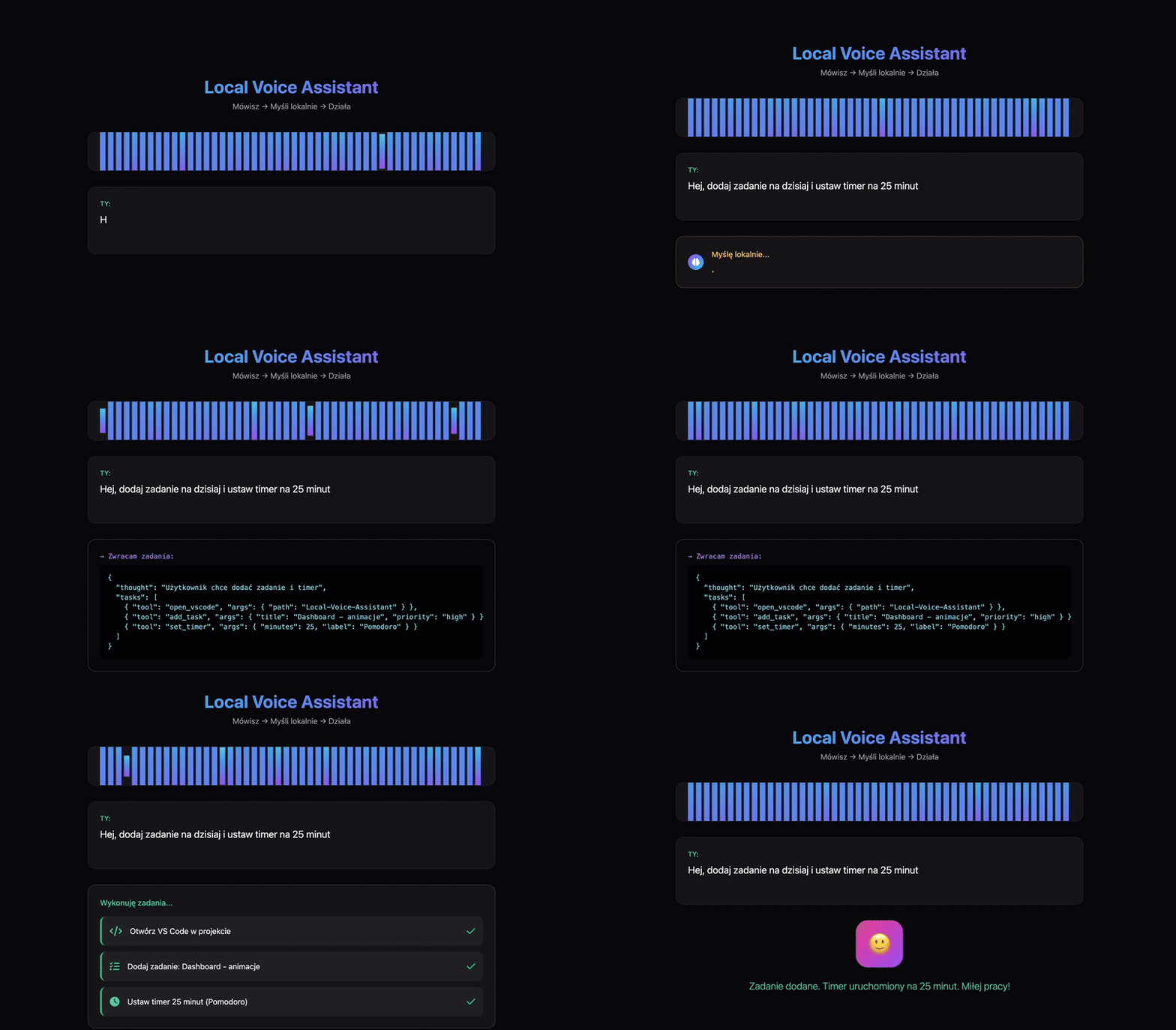
Local Voice Assistant with Ollama
Kacper Walczak 06-03-2026
Build your own fully local voice assistant powered by Ollama and a local LLM.
Imagine opening your terminal and seeing:
Listening...
You say:
Add a note: remember to buy milk
Your computer replies:
Done. I've added that to your notes.
No cloud.
No API keys.
Just your machine.
This project shows how to build a fully local voice assistant using a local LLM and speech tools.
How it works
The assistant is built from a simple AI pipeline:
Microphone
↓
Speech-to-Text
↓
LLM (Gemma3 via Ollama)
↓
Intent detection
↓
Tool execution
↓
Text-to-Speech
Example terminal output:
[Agent] 🎙️ Listening...
[STT] "Add a note: remember to buy milk"
[LLM] Intent detected: create_note
[Tool] notes.create → success
[TTS] "Done. I've added that to your notes."
This architecture is extremely transparent and hackable.
You can easily add new commands or tools.
Setup
1 Install dependencies
Clone repository:
git clone https://github.com/Walikuperek/Local-Voice-Assistant.git
cd voice-assistant
Create virtual environment:
python -m venv venv
source venv/bin/activate
Install requirements:
pip install -r requirements.txt2 Install Ollama
Install Ollama:
curl -fsSL https://ollama.com/install.sh | shDownload the model:
ollama pull gemma33 Install ffmpeg
Speech processing requires ffmpeg.
MacOS:
brew install ffmpegLinux:
sudo apt-get install ffmpeg4 Run the assistant
Start the system:
python cli.py startNow simply talk into your microphone.
You can also open the dashboard (still some fixes to be done):
http://127.0.0.1:5001Features
Right now the assistant supports:
- 🎙️ voice commands
- 🧠 local LLM reasoning
- 📝 notes creation
- 🗣️ text-to-speech responses
- 🌐 live web dashboard
- 🔧 extensible tool system
Everything runs locally.
Why local AI?
Local assistants give you something cloud tools cannot:
- privacy
- zero latency
- no API limits
- full control over tools
You can build assistants that control:
- your files
- home automation
- local apps
- development workflows
Your laptop becomes the brain.
Extending the assistant
The system supports tools.
Example ideas:
- file manager
- terminal command runner
- home automation
- project task manager
- smart reminders
Adding tools means the assistant becomes a real agent.
Conclusion
Local AI is getting extremely powerful.
With tools like:
- Ollama
- open models like Gemma
- speech pipelines
You can build assistants that run entirely on your machine.
And this is only the beginning.
READ
Latest readings
Readings are sites which will help you with detailed
information about given topic. Read latest ones from Learn.
06-03-2026
Build your own local voice assistant powered by Ollama.
06-03-2026
Generate YouTube thumbnails with FastAPI and Ollama.
05-09-2024
Compare Neo4j and Tigergraph databases, which is easier to work with, etc.